
All your website essentials.
One sweet place.
Building a website shouldn't mean discovering everything you forgot after you launch.
SweetSuite brings the essential tools together, so you can spend less time troubleshooting and more time creating.
The promise
The simplest way to do everything a site requires — fast, and in order — The simplest way to do it for the 100th time.
- Secure SMTP Mail
- GDPR Compliance Pages and Consent Forms
- Captcha Security
- Non-Google Alternatives
Core and desserts
The core does what every site needs:
- mail that sends,
- forms that aren't spam magnets,
- privacy pages / consents,
- search / Ai optimization,
- analytics (UX & Marketing),
- cache maintenance,
- and migrations / backups.
Essentials that ship and work together.
The desserts make building fun again:
- Ai friendly project management,
- element attached stickie notes,
- bug tours,
- time-based timelines,
- slide decks / presentations,
- Schema.org content types,
- Markdown everywhere.
Not essential. Just sweet.
Whose this for?
Builders who want a fast track to production
Small and mid-sized sites, where the same dozen configurations have to be right every time and none of them are the design work.
People who are new to this
The suite explains the things everyone else takes for granted — what SMTP is, why keys don't belong in the database, what a cookie policy actually has to say. It assumes you are capable, not that you already know.
Builders who have done this a hundred times
You already know what you want. The suite gets it set up without a wizard, an account, or a tour you can't skip — and the help rail stays out of your way until a vendor's labels stop making sense.
Studios handing sites to clients
Credentials stay in a file you control, the project history stays with the site, and nothing in the admin tries to sell your client anything.
New to WordPress?
The Sweet Suite lists the unknowns while configuring a site — and explains what to do as clear as possible.
Pro at WordPress?
Skip the setup tax. Always copy-n-paste your configurations? It's like have your shell scripts inside WordPress 😉
Meet the tools that do the heavy lifting.
Purpose-built WordPress plugins that solve real problems, simplify everyday tasks, and work together as one suite.
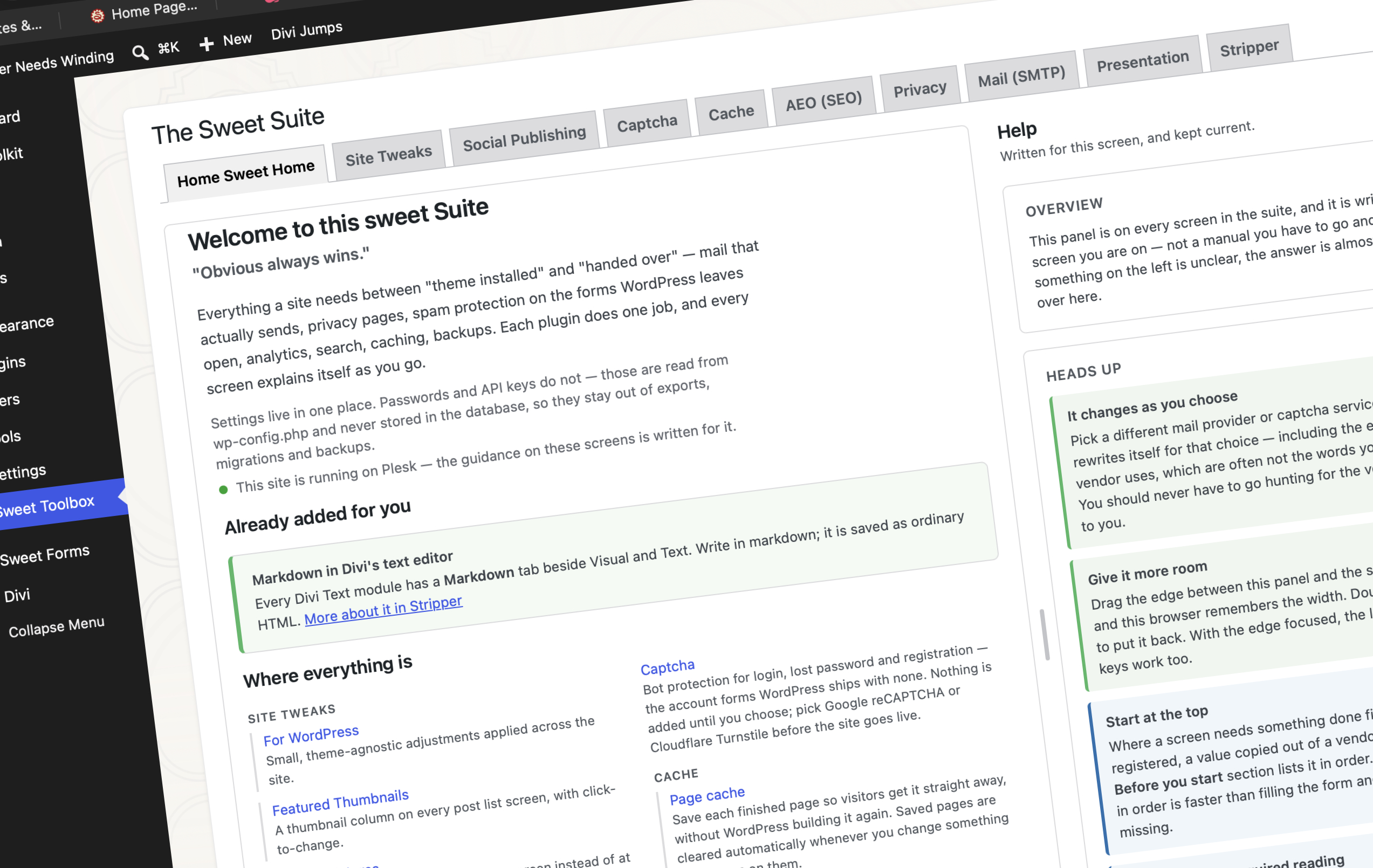
Sweet Toolbox
Home Sweet Home: your heads-up display for site status. Also ships with a dashboard widget!
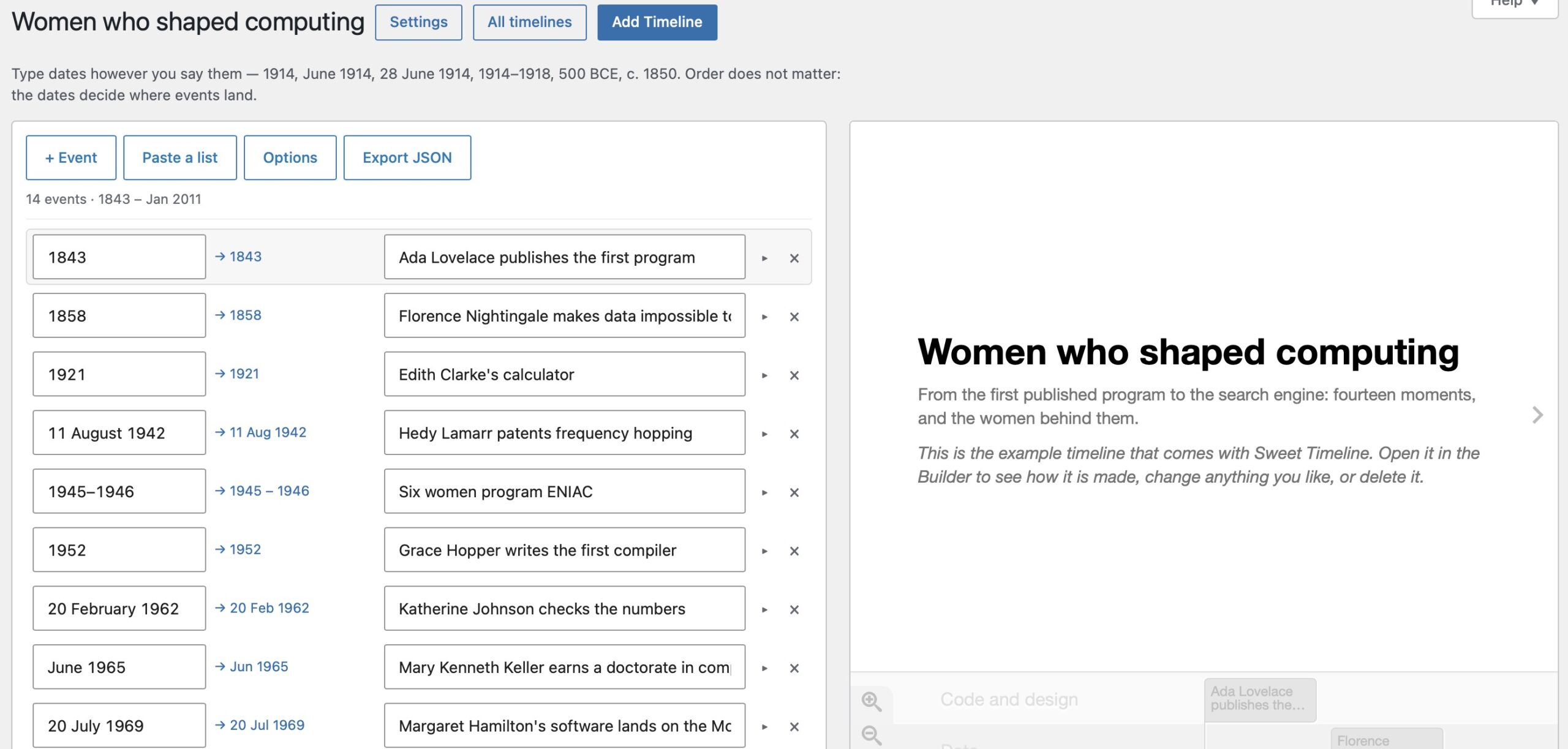
Sweet Timeline
Timelines that show duration – not fancy bullet point lists.
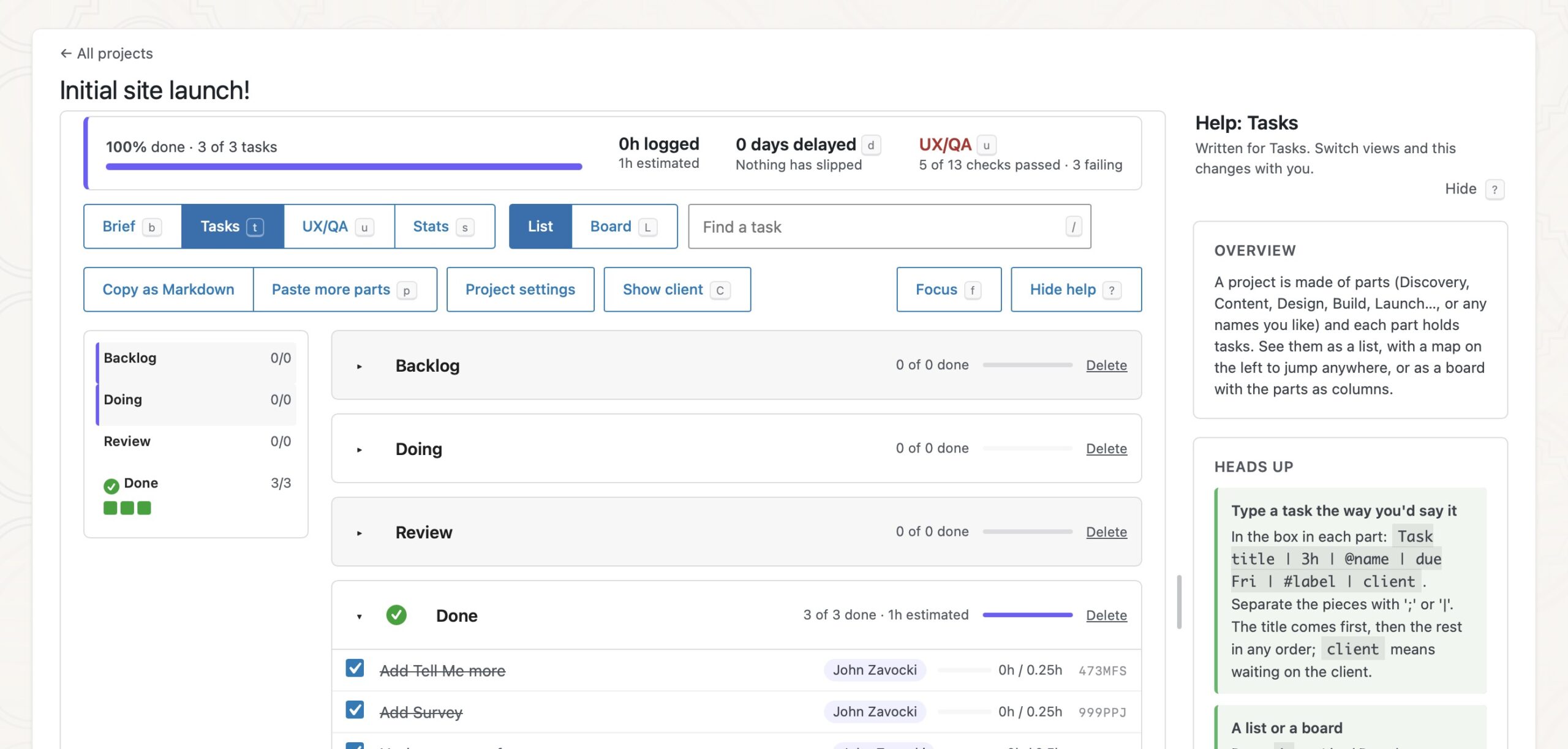
Sweet PM
Track the site work on the site itself. Keyboard shortcuts for power users.
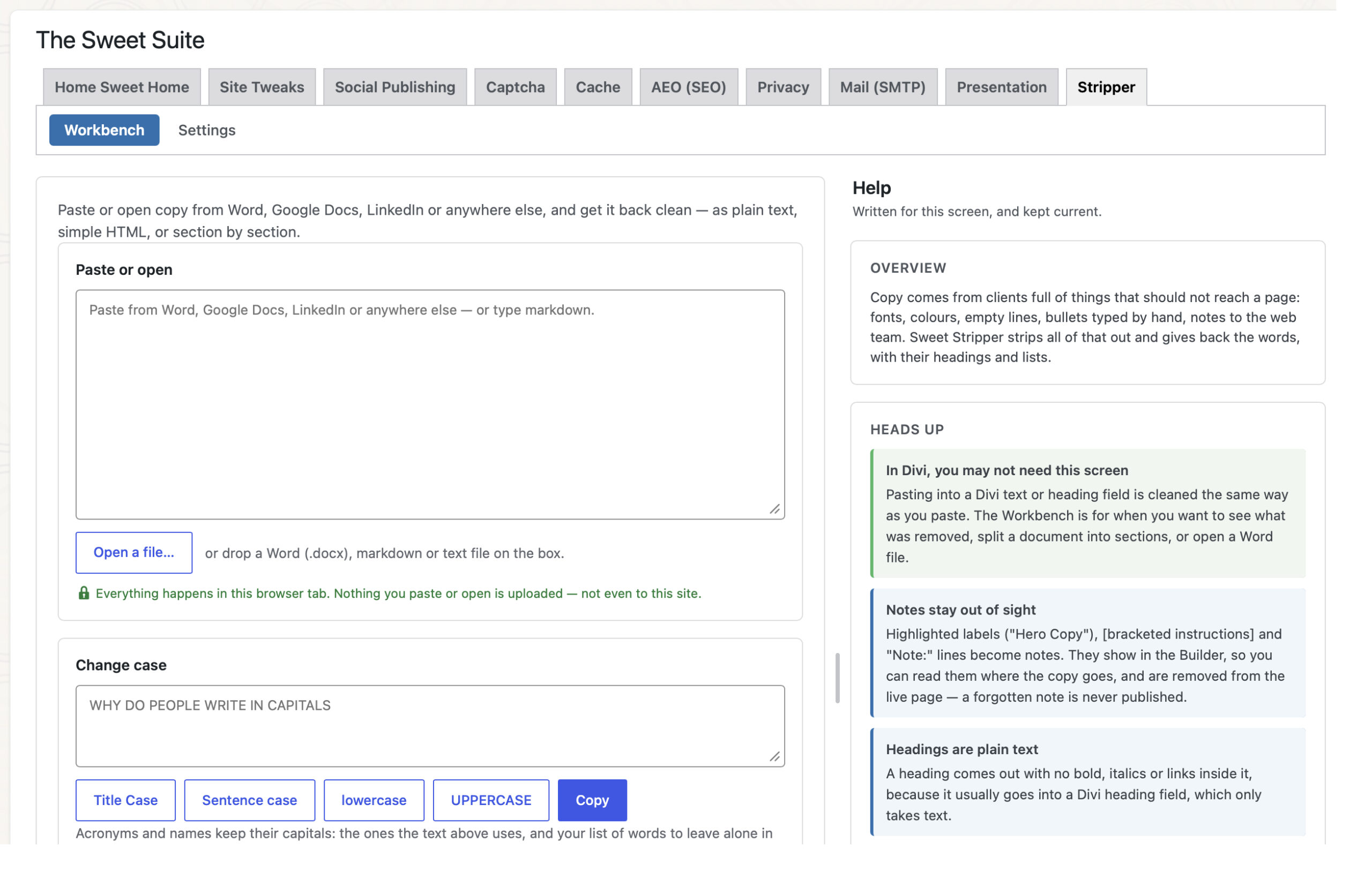
Sweet Stripper
Removes hidden jank from MS Word files – adds Markdown support.
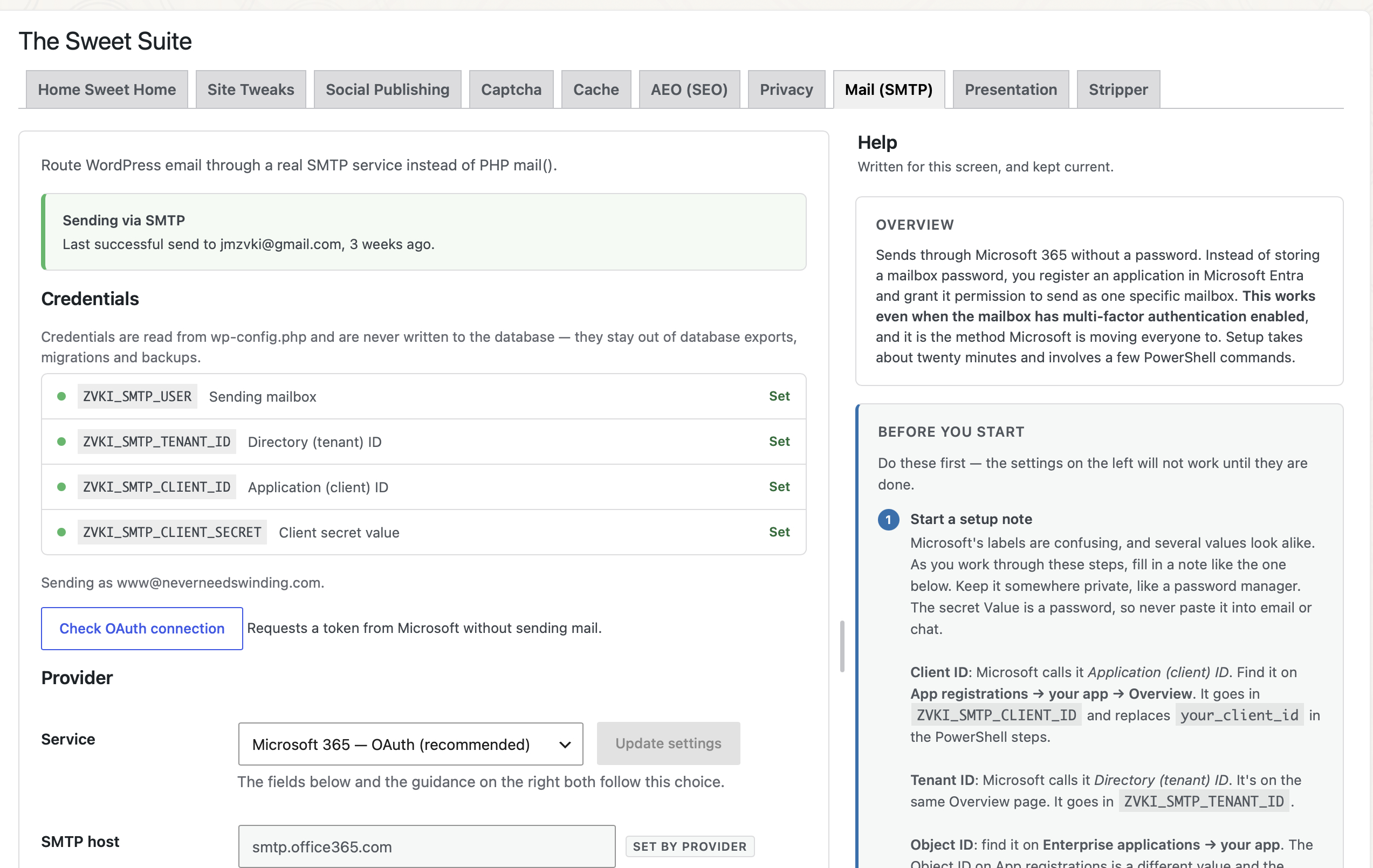
Sweet SMTP
Sending secure email shouldn’t be a trauma drama – or expensive.
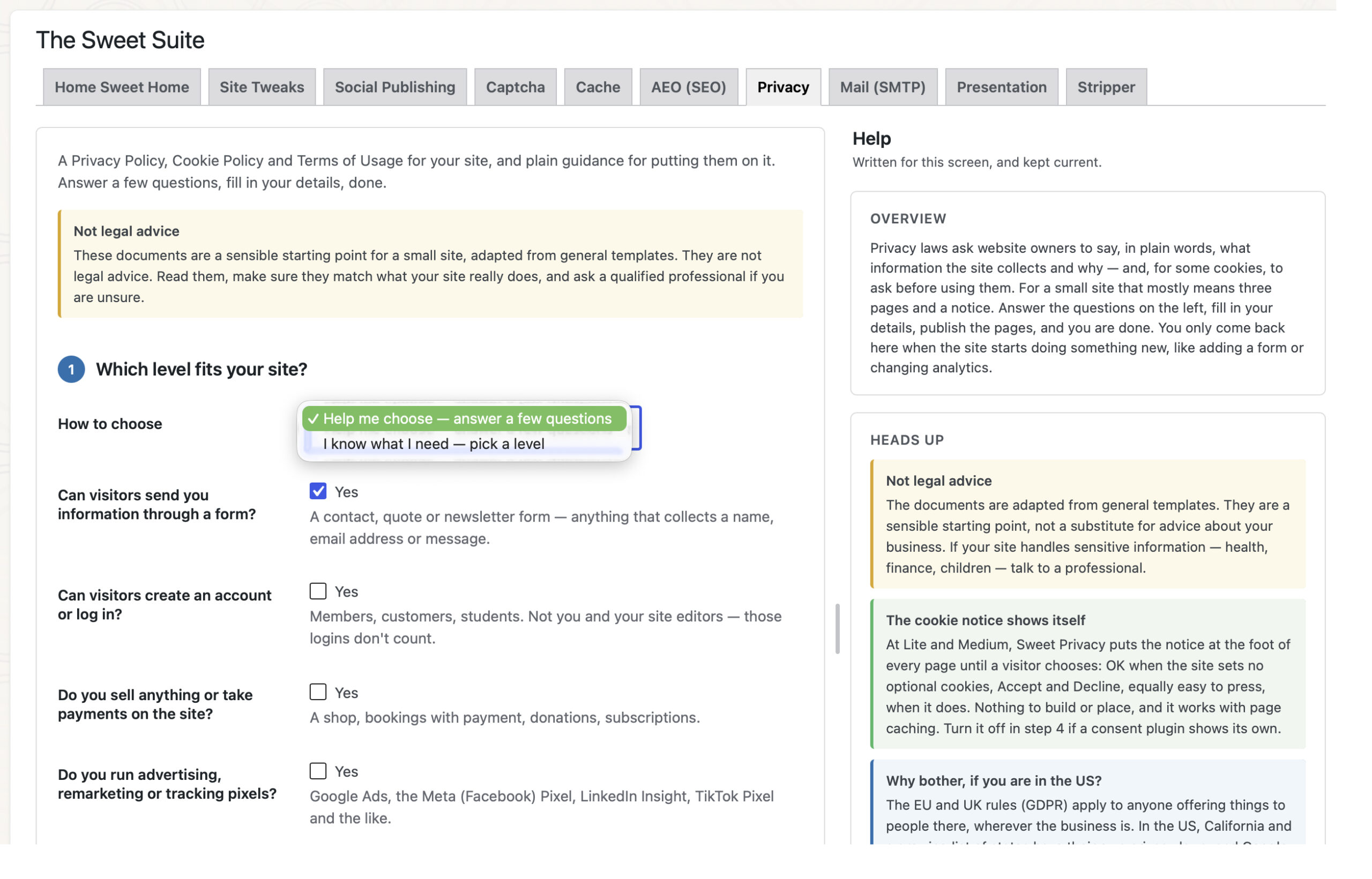
Sweet Privacy
GDPR compliance protects us all – here’s how to do it on low risk sites.
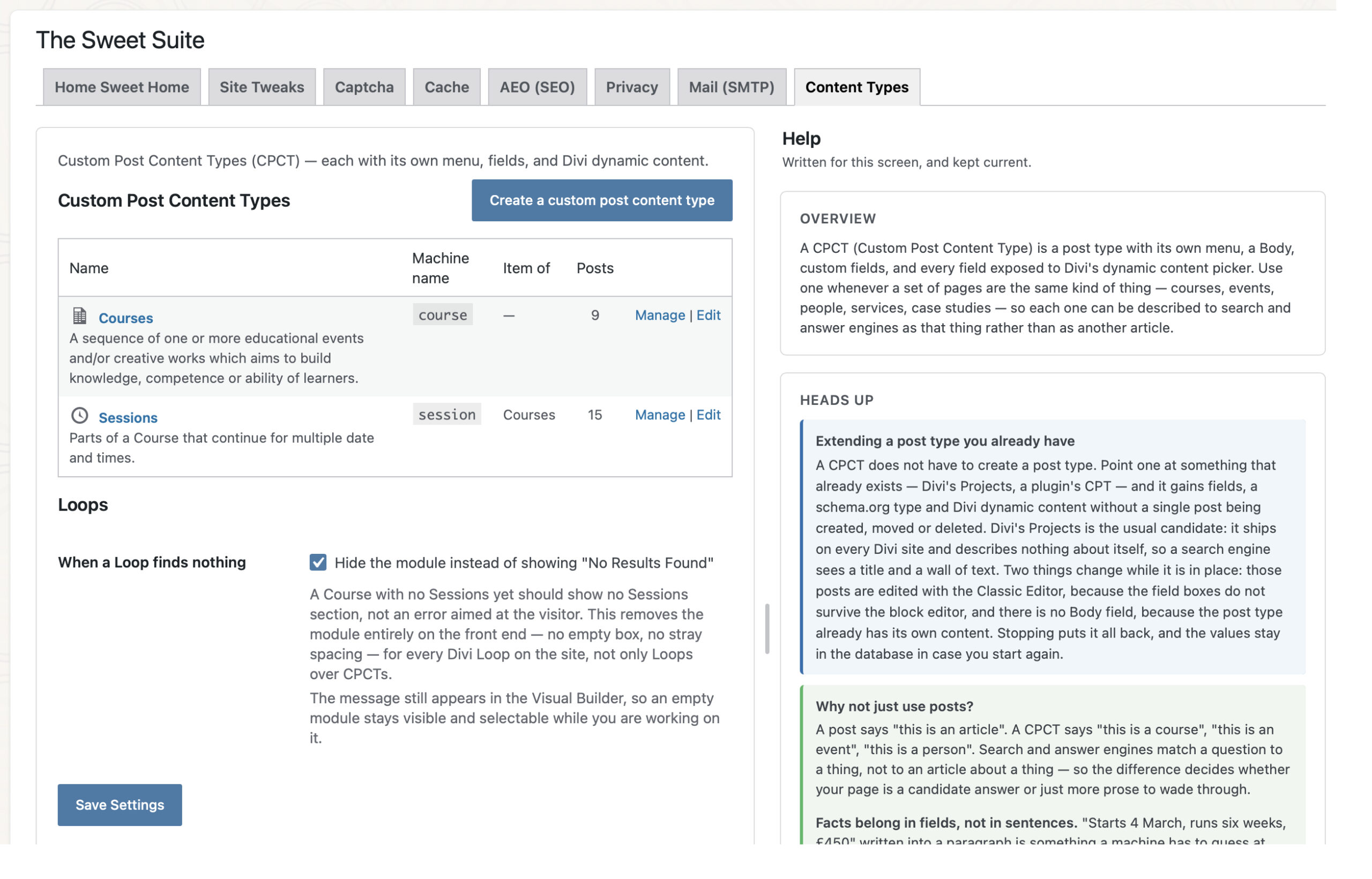
Sweet Content Types
Beginner custom fields – essential content types that align with Schema.org.
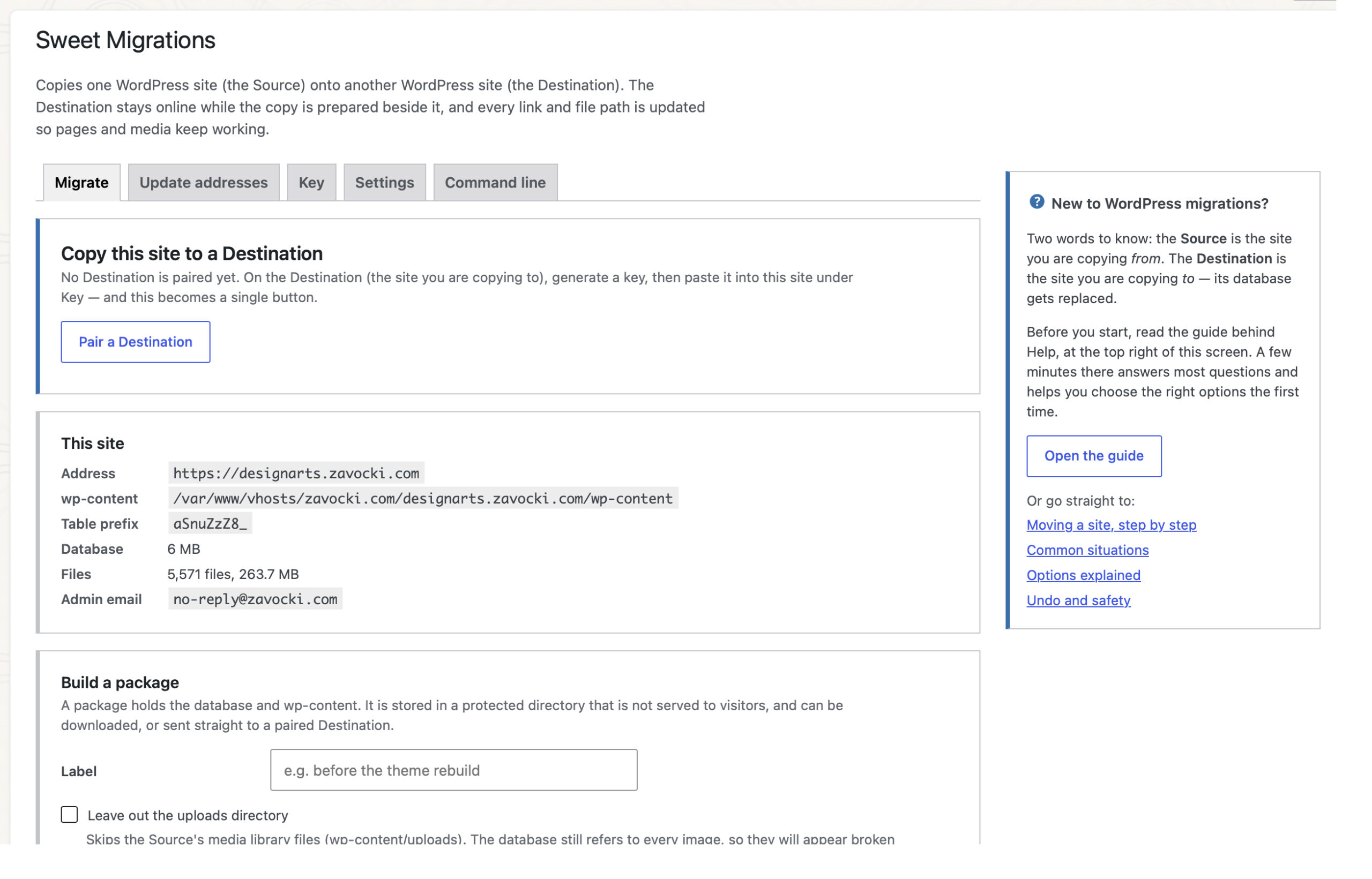
Sweet Migrations
Migrate a WordPress site across servers. Uses wp-cli and gives you a snippet library!
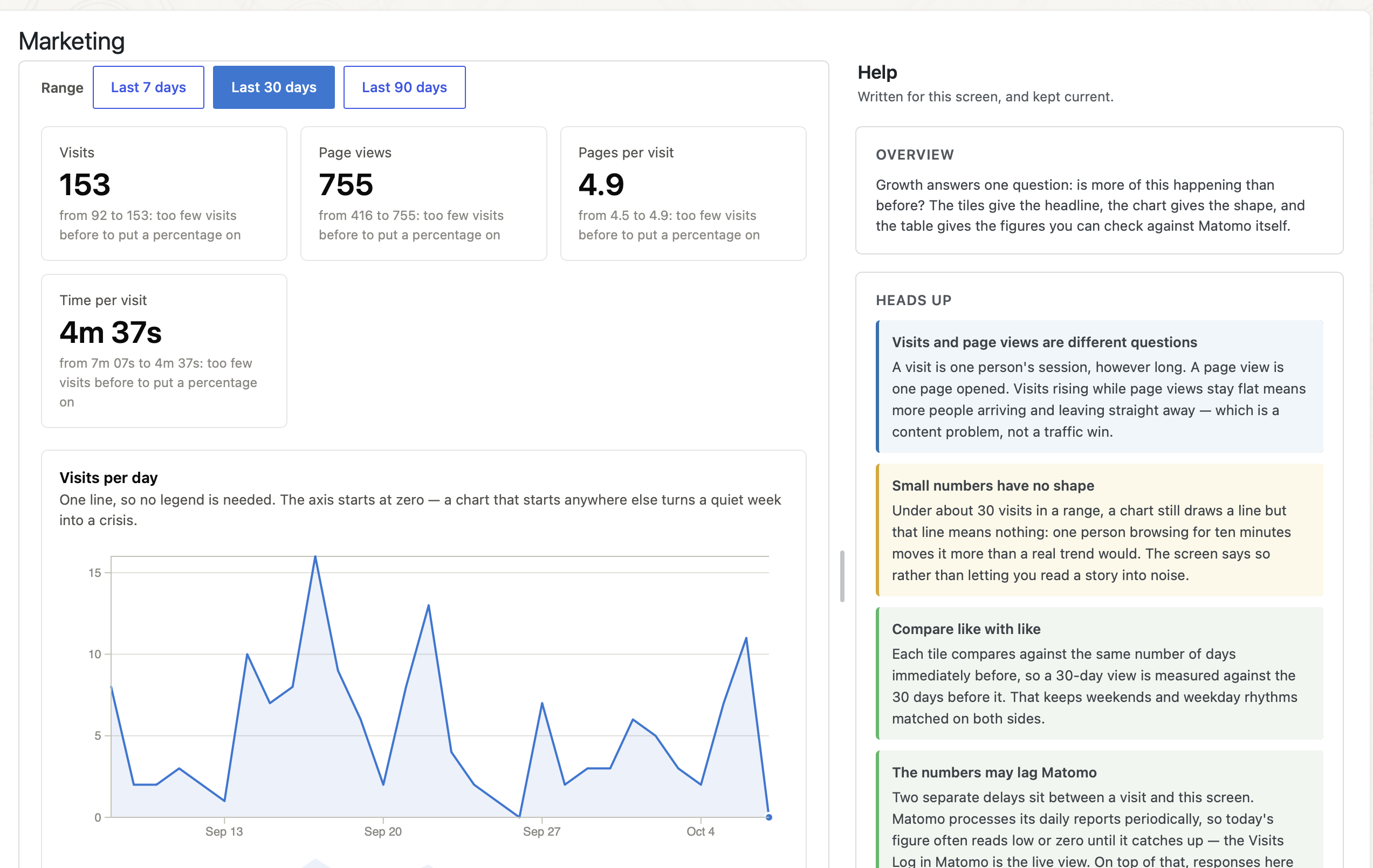
Sweet Analytics
Analytics for User Experience, also. Privacy first data solutions.
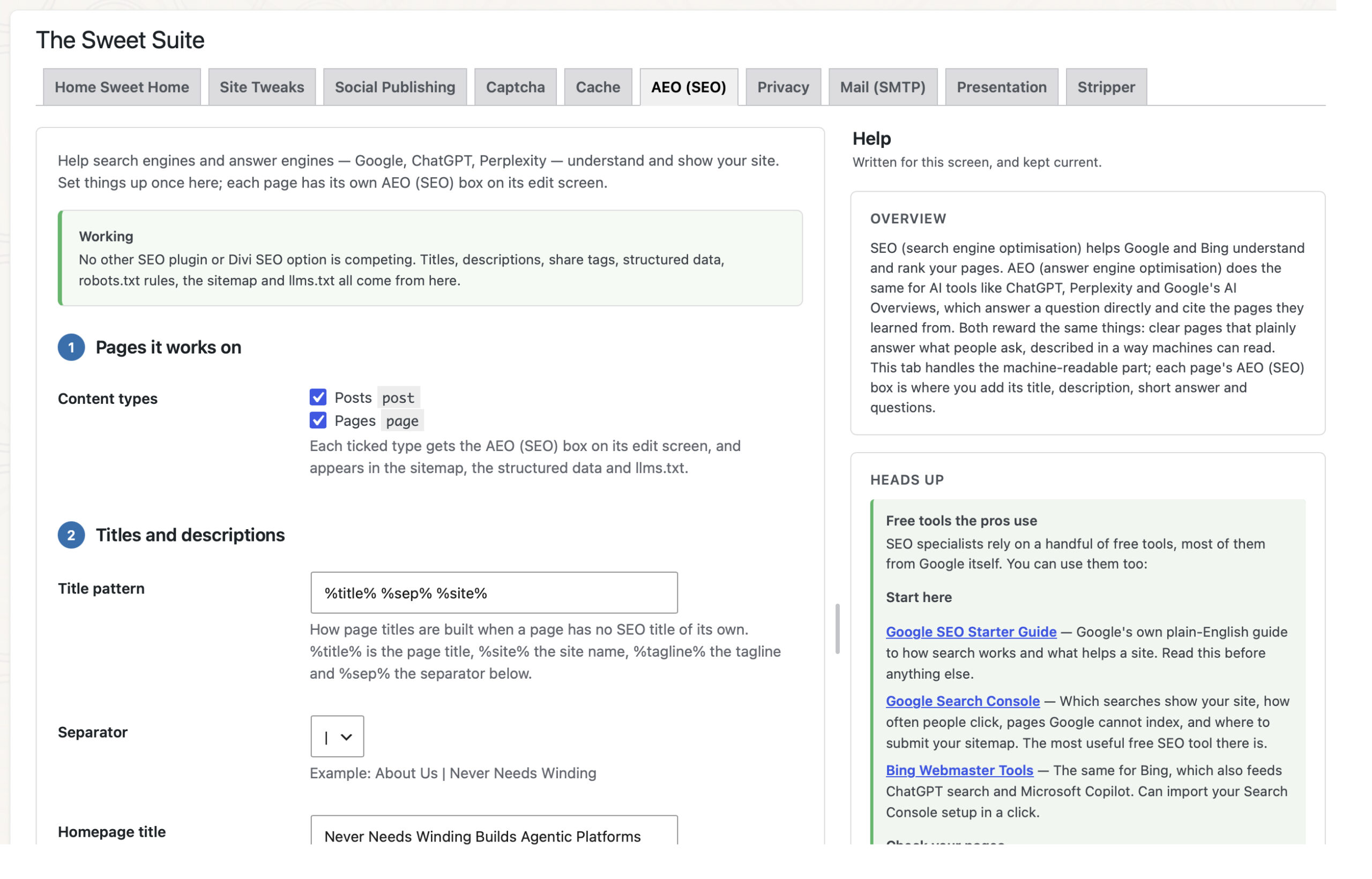
Sweet AEO
Demystifies SEO for the artificial Intelligence age.
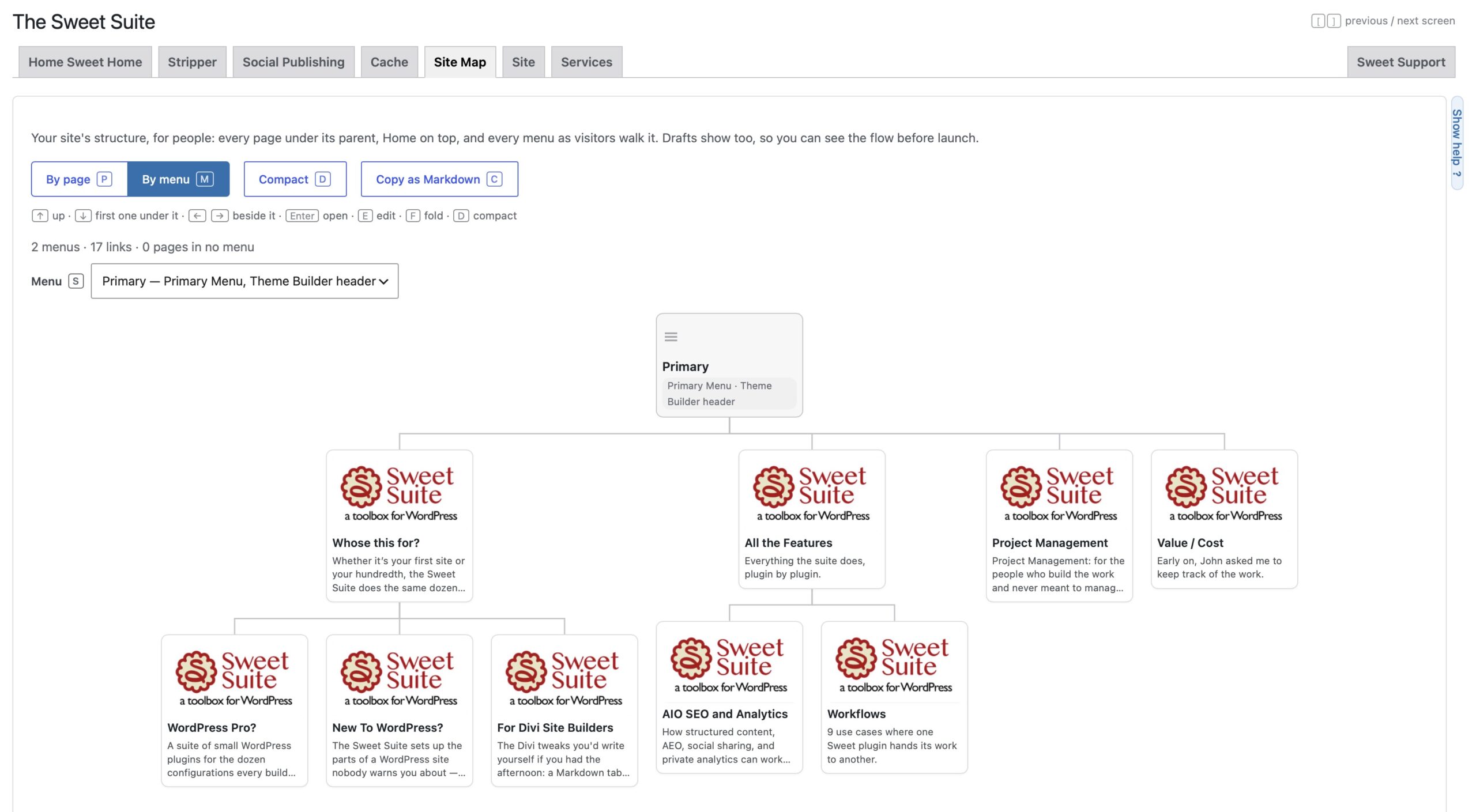
Sweet Site Maps
Your site’s pages as a MAP – not a table or a bullet point list.
Four things done differently
Designed for the "lazy"
Every key and password lives in wp-config.php, not the database. Keep your usual setup in a text file or a shell script, the way you already do, and a new site is a paste instead of an afternoon. Hand the site over and your credentials stay out of every export and backup.
Polymorphic, baby ...
Learn it once, every screen works the same way; the settings, then a help rail written for that screen in plain words. The steps that come first are listed in order, beside the fields they're about. No wizards; the checklist is the wizard. Once you know one screen, you know them all.
Markdown is a BFF
Markdown isn't only for prompts here. Paste a list and get a project with parts, tasks and checklists, or a timeline with its events in place. Copy a project out as Markdown, keep it in any notes app, and paste it back as the template for the next one.
Oh, and if you use the Divi theme — you get a Markdown tab next to Visual and Text ! SWEEEET!
Feedback is "SMH"
Leave TODOs as sticky notes on the element where the work is to be done. Group them into a Bug Tour and walk through them page by page. Track the work, the hours and what's waiting on the client, right in the admin, with no seats to pay for and no portal to log into.
- Over a dozen plugins. One job each. Install three or all of them.
- 9 of the 14 launch checks answered by the suite itself, re-checked whenever you open the project.
- 0 keys in the database. All of them live in wp-config.php.
- No Google required. Matomo and Cloudflare Turnstile are there; so are GA4 and reCAPTCHA if a client asks.
- Plugins work together as a system ... or as standalone functionality!
Content Structure, SEO / AEO and Analytics are one strategy
Your content types, the structured data search engines and AI assistants read, and the numbers that tell you what worked are three parts of the same plan.
Nobody explains that; they just bill you for each part separately.
The suite sets the three up together and explains how each leans on the other in plain words. And then, helps to track it, read it, and improve it.
Sweet Project Management
Small projects. Big details. Beautifully organized.
Sweet PM is project management inside WordPress: parts, tasks, hours and client hand-offs, typed as fast as you think, with progress the client can read. Yes, it is included - no extra cost!
Sweet PM
Track the site work on the site itself. Keyboard shortcuts for power users.
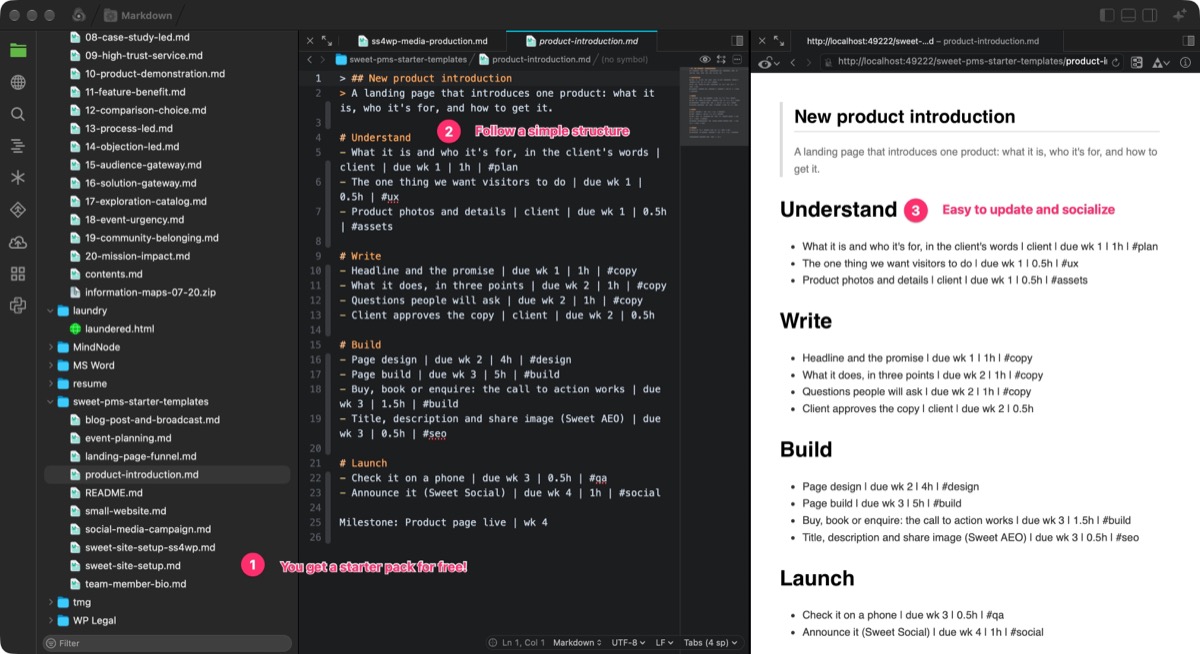
Markdown First
Write out your whole project in Markdown or have your agent do it from a Teams summary!
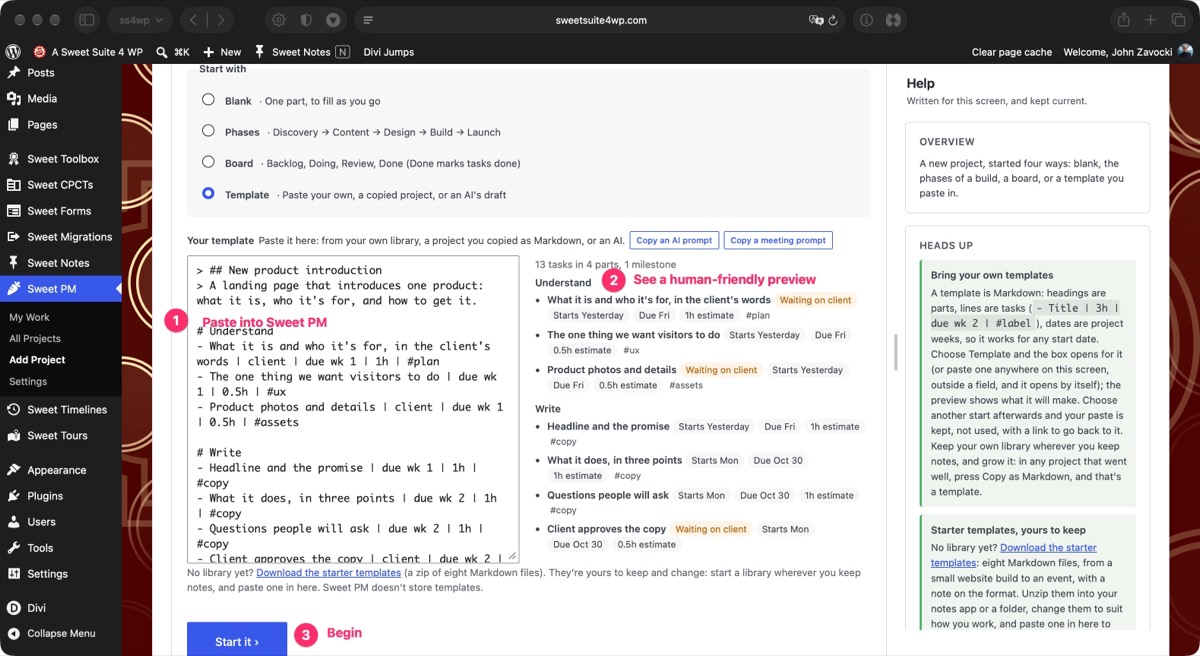
Immediate Feedback
Review before committing to a plan
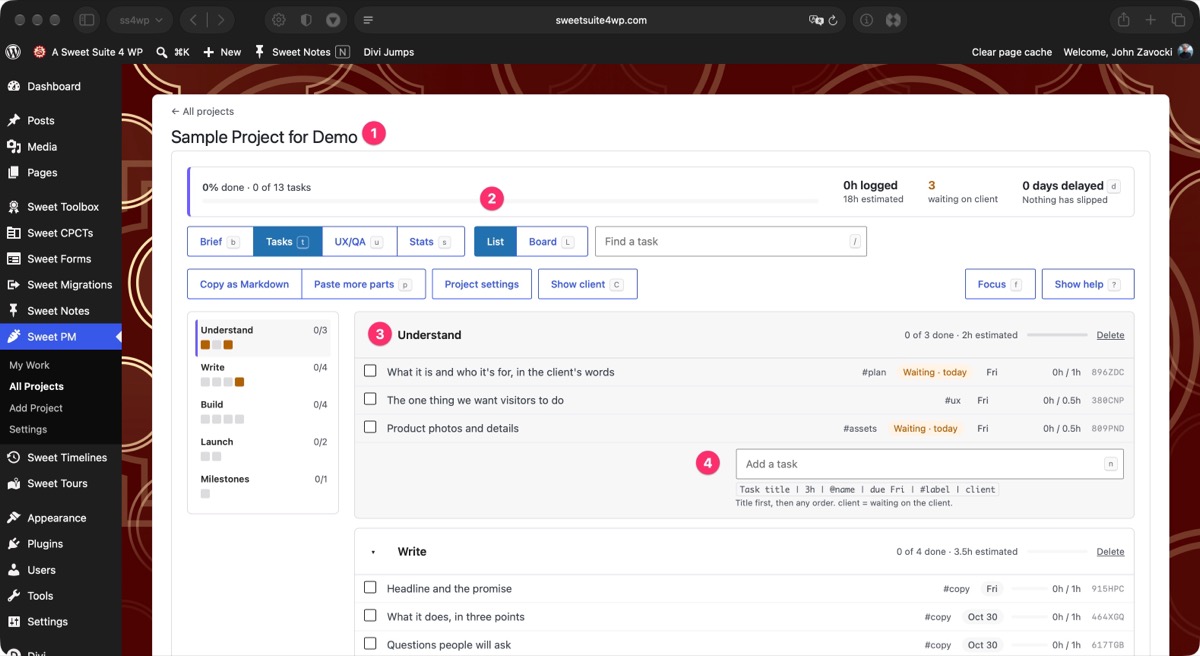
Easily See Everything
At a glance – see your project as a whole
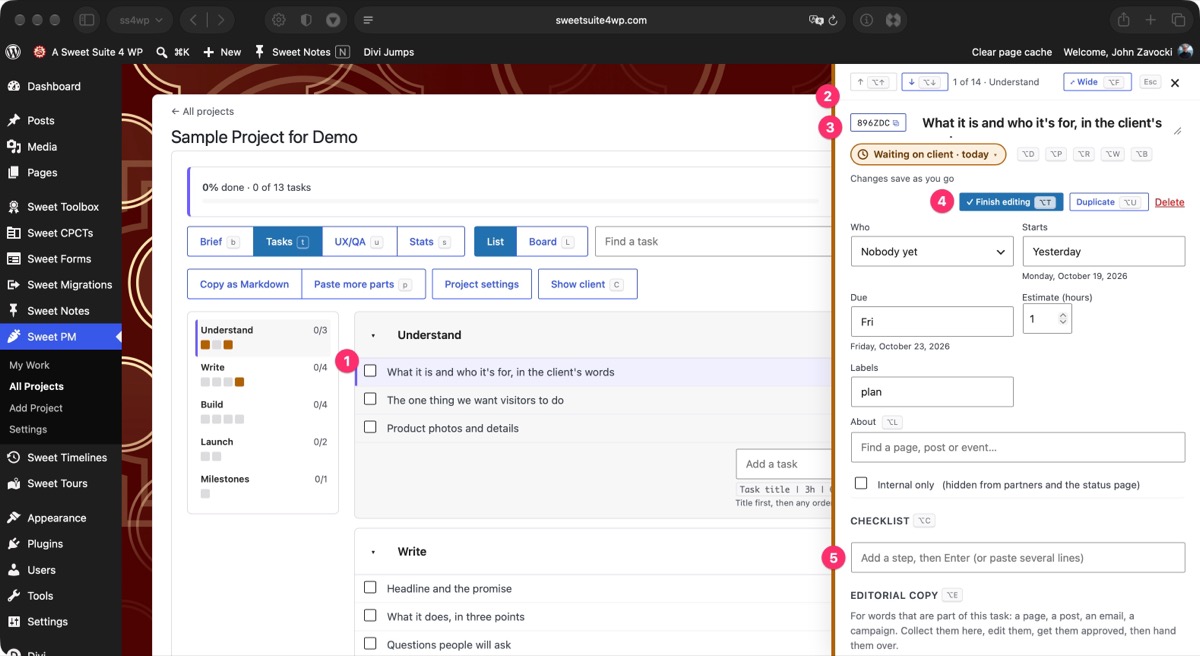
Tasks as Foundational
Just tasks – create cohorts that make sense to you
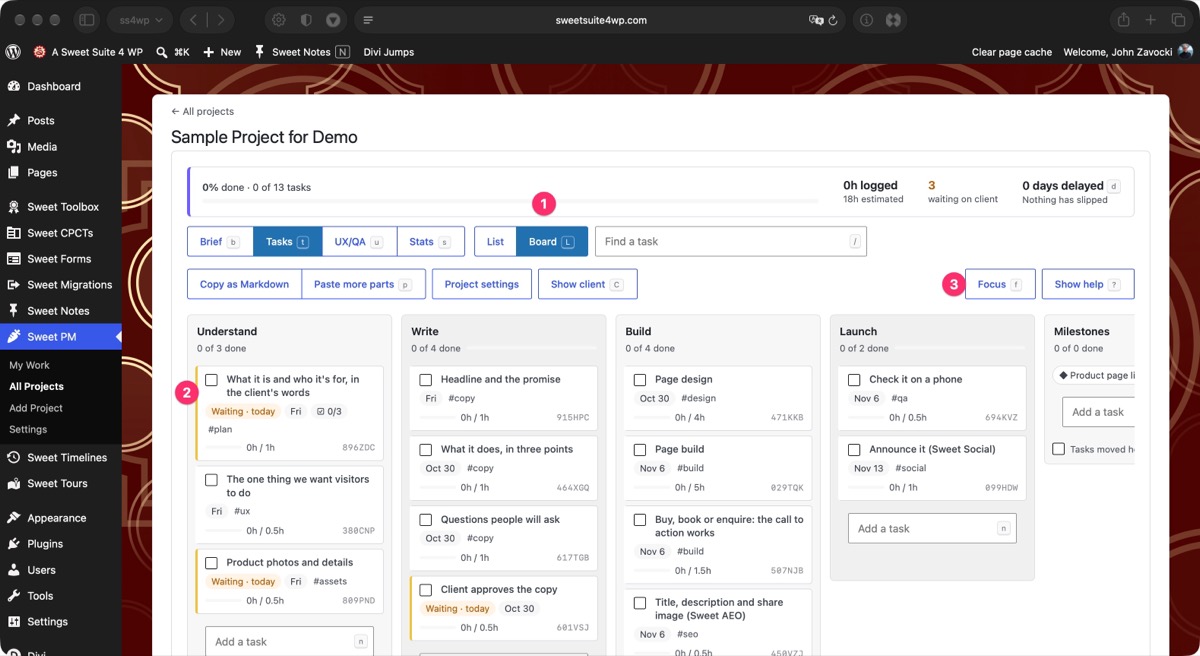
View as a Kanban board
and then drag and drop tasks to reorder
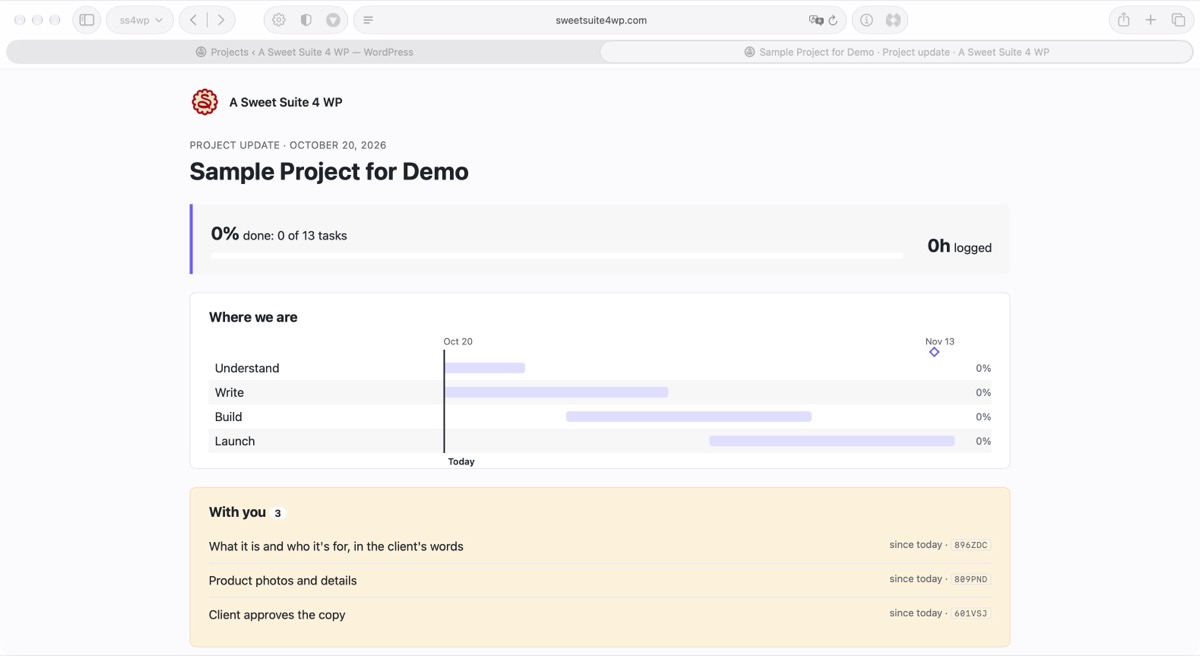
Send the Client a Summary
… which shows her what she owes you
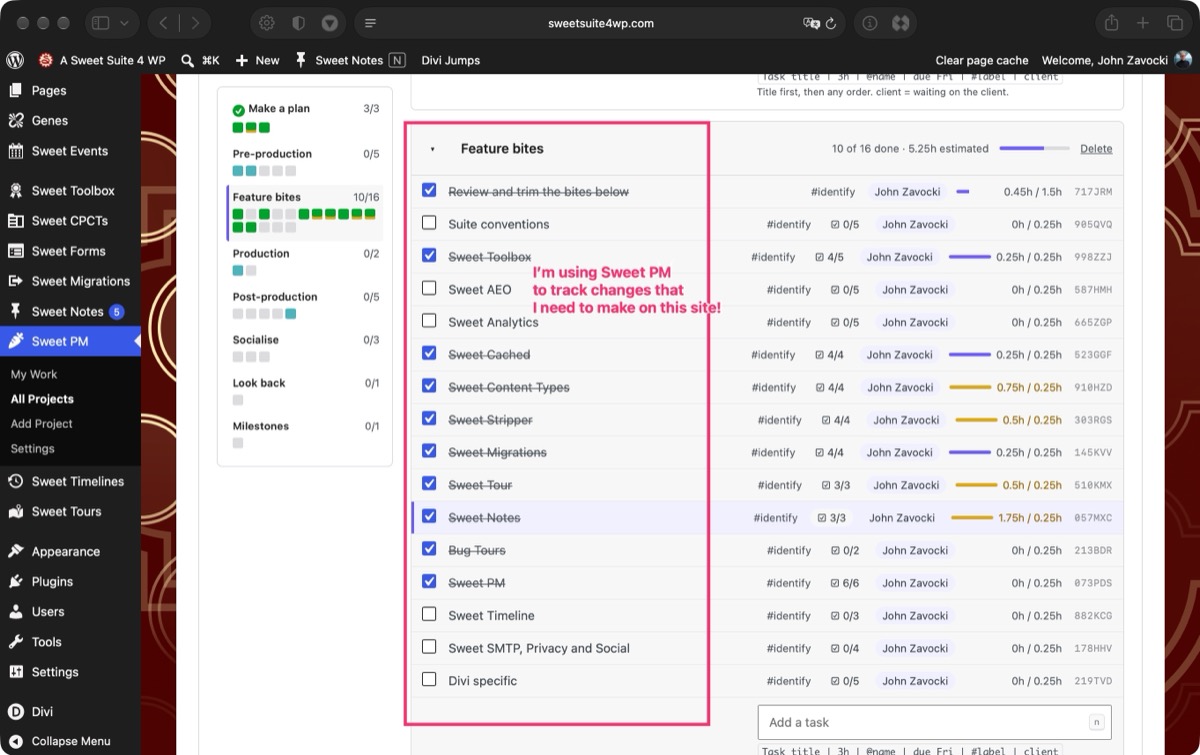
We’re using Sweet PM
… to track this site build!
Sweet PM runs on the WordPress site you're building. Keep the client's brief, plan the work in parts and tasks, log hours, and see at a glance what's waiting on the client.
When the date is at risk, the Velocity Check shows why, in plain words. No seats, no portals, no bloat.
- A project tracker for makers, not project managers.
- Looks like a tool for clients. It's really a tool for creators.
- Every project starts with a brief. Sweet PM never loses it.
- Know if you'll make the date, and why not, before the client asks.
- View work as a task list or Kanban board.
- Make notes on the site where the work is to be done.
- Make those ^ notes into a "Bug Tour".
- Plan a project in Markdown - and paste into Sweet PM.
- A clean, client friendly report page - easily shared.
Nobody pays per seat.
Tools like Teams or Active Collab charge for every person, every month. Sweet PM is a plugin on a site you already have. Your team of one to six uses it for the price of nothing extra.
Clients never need a login.
No portal, no password reset emails, no "how do I get in?". Clients get progress they can read: a Markdown summary in an email, a printed page in a meeting, and soon a status page on their own site.
It's for the people doing the work.
Designers, developers, writers and builders, not project managers. No blame, no nagging "overdue" emails, no dashboards that shout. It keeps track so you can keep making.
It plays well with bigger tools
Right-sized, and built to step aside. ACF, WPForms and the big SMTP plugins are excellent, and we use them on larger builds. Most sites don't need every framework for each job. So every Sweet plugin does one job and can leave without taking anything with it. Sweet AEO even stands down on its own when Yoast or Rank Math is active. Content you make is ordinary WordPress data: standard posts and fields, no custom tables. If a site outgrows the simple version, your content goes with it.
What it isn't
Not a page builder.
That's Divi's job. The suite works around it, not against it.
Not a consent platform.
Sweet Privacy says so itself: once a site has accounts, a shop, advertising or cookie-based analytics for EU visitors, you need scripts blocked before consent and records kept. It tells you when you've crossed that line instead of pretending it has you covered.
Not an SEO miracle.
You aren't landing on page one of Google without paying Google for the space. Sweet AEO makes the groundwork easy and honest; it doesn't sell you a traffic-light score.
Not for big organizations.
Built for small and mid-sized sites, and small teams. Sweet Migrations refuses to run on multisite rather than half-working.
Not neutral.
WordPress and Divi first, non-Google services first, Markdown everywhere. Those are preferences, and they're on the label.
FAQs
Do I have to install all the plugins?
No. Sweet Toolbox is the shared spine and the rest plug into it — install the three you need, or all of them. Sweet Timeline and Sweet Migrations run on their own without the Toolbox at all.
Does it need Divi?
Mostly no. Three plugins are Divi-specific by design — Sweet Divi, Sweet Divi Forms and Sweet Reveal — and say so plainly when Divi isn't the active theme. The rest run on any WordPress site.
Where do my passwords and API keys live?
In wp-config.php, never the database. That keeps them out of exports, migrations and backups. Every screen that needs one shows exactly what to paste and how to reach the file on your particular host.
Will it work on my host?
Yes. It recognises Plesk, cPanel, GoDaddy Managed WordPress and Kinsta, and gives directions for that one — including saying when your host has no file manager and SFTP is the only way in. Anywhere else gets sensible general directions.
Will it slow my site down?
Each plugin does one job and loads only when it applies. Sweet Divi won't load without Divi; Sweet Cached won't minify what Divi has already minified. There's a speed check in the box if you want to see for yourself.
Will you try to sell me an upgrade?
No. There’s no Pro tier and no upsell notices. Your key brings a year of updates and support; after that, everything keeps working as it is.
What happens when I hand the site over?
Settings stay with the site. Credentials stay in a file you control, so you can hand over the site without handing over your accounts.
See for Yourself
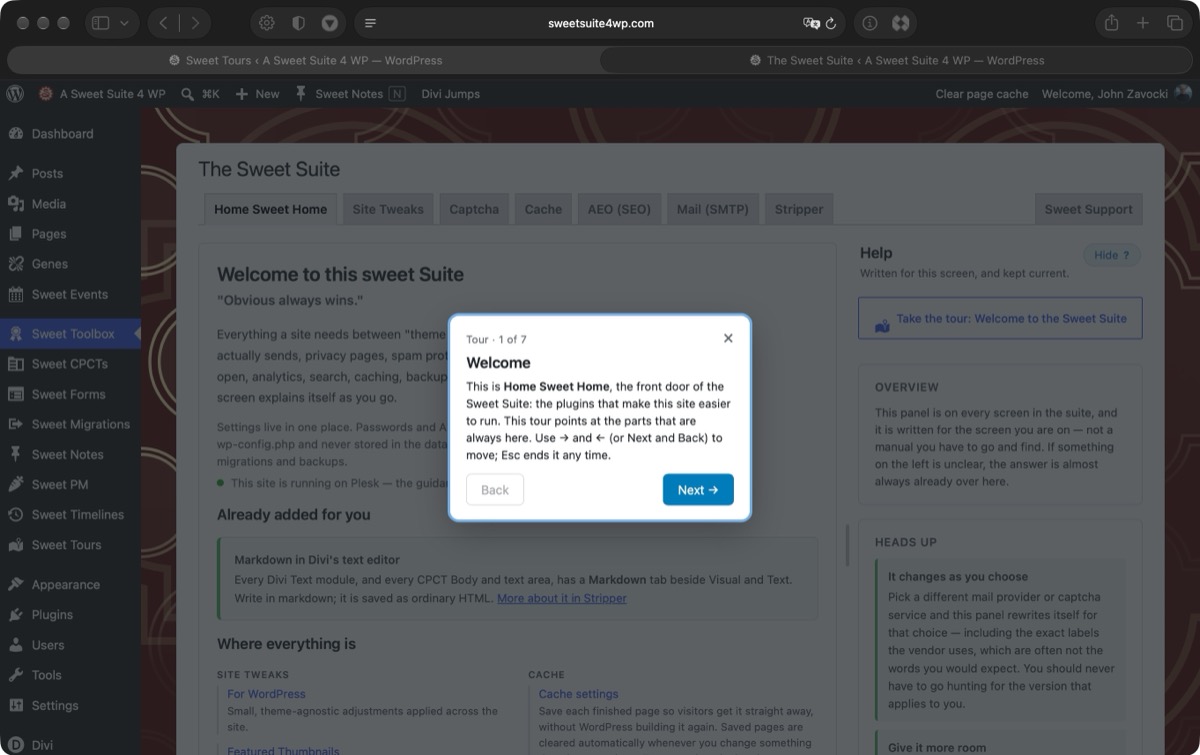
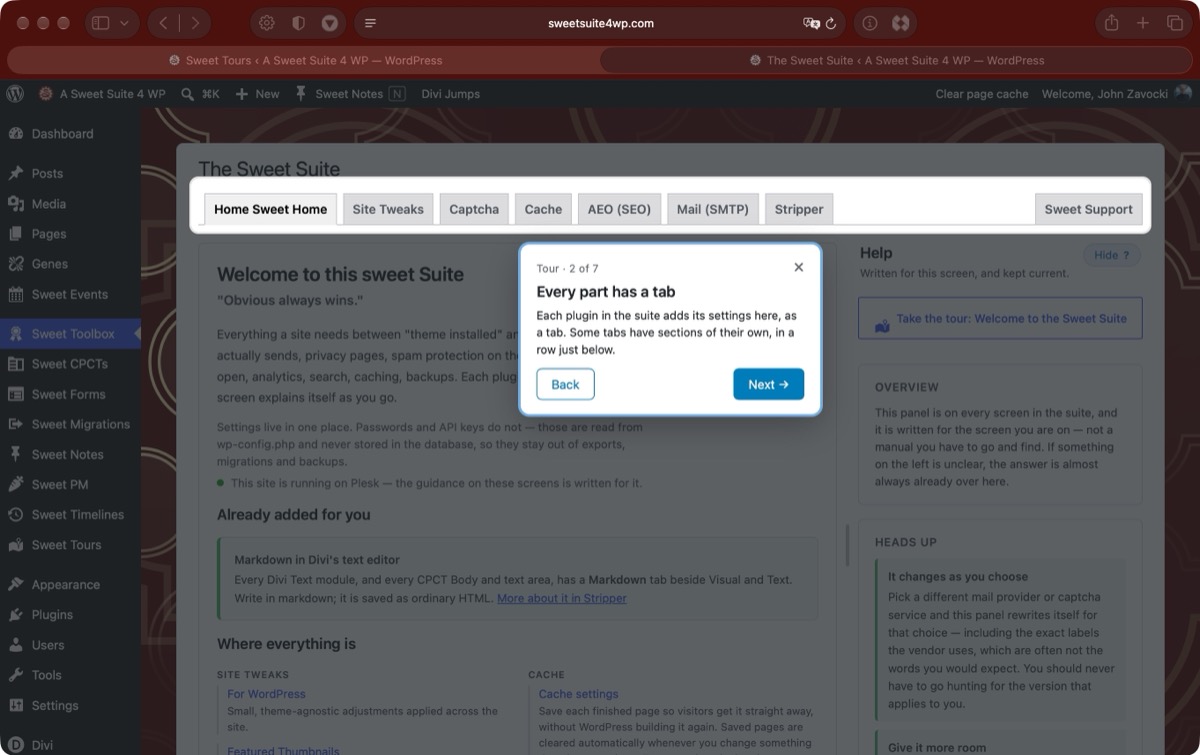
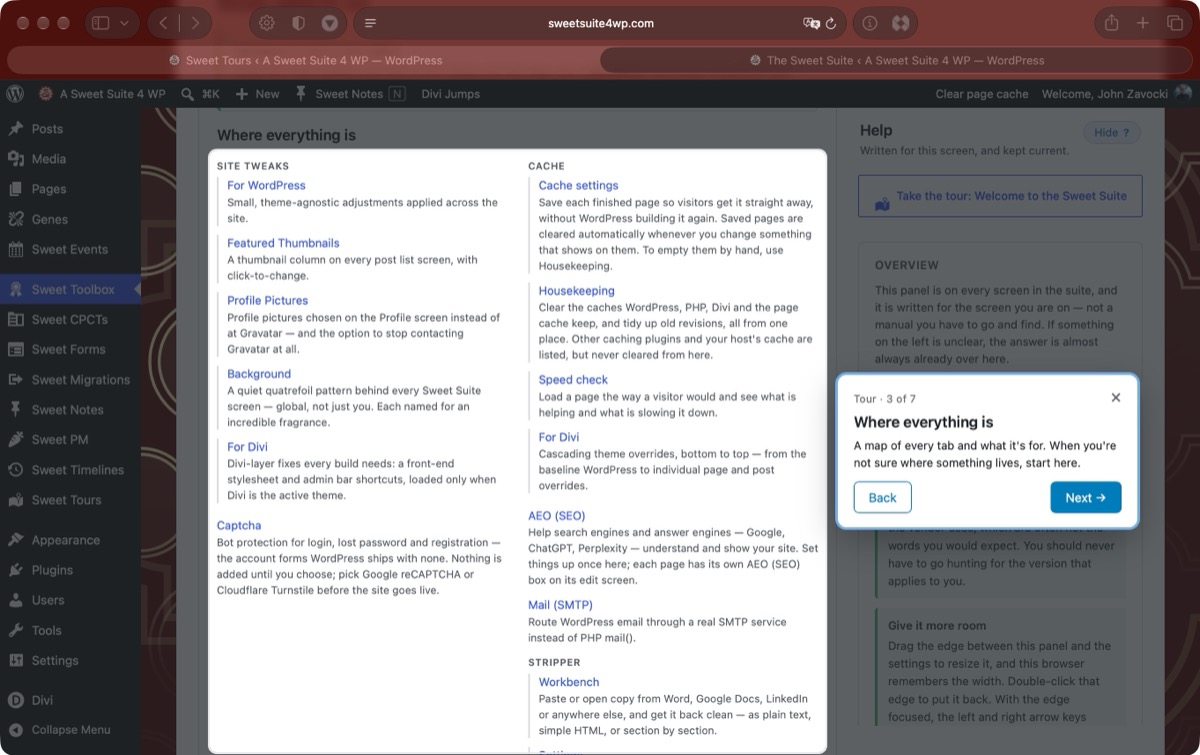
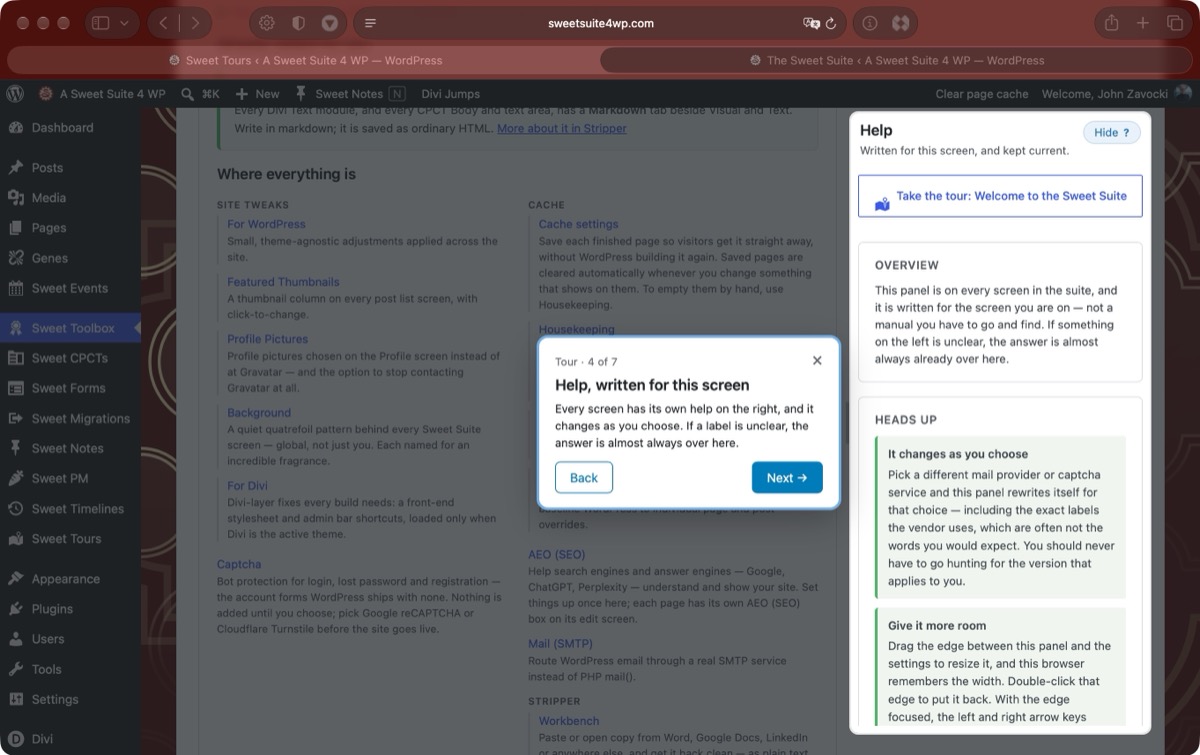
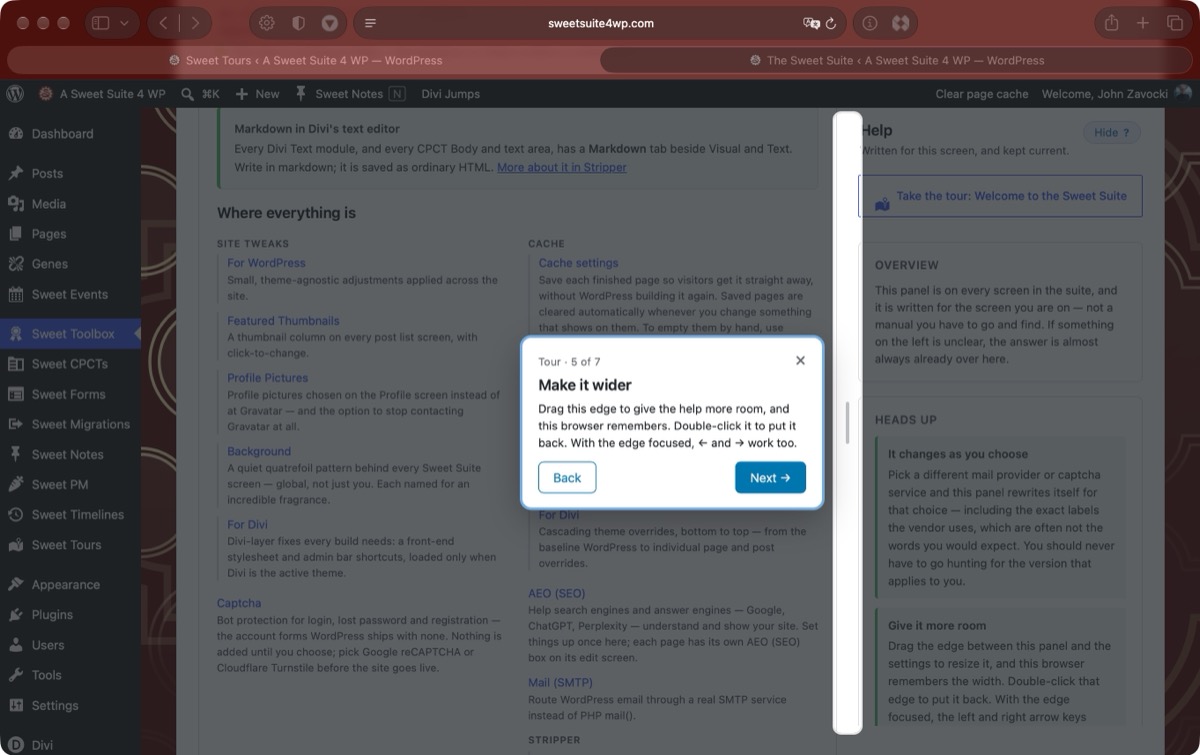
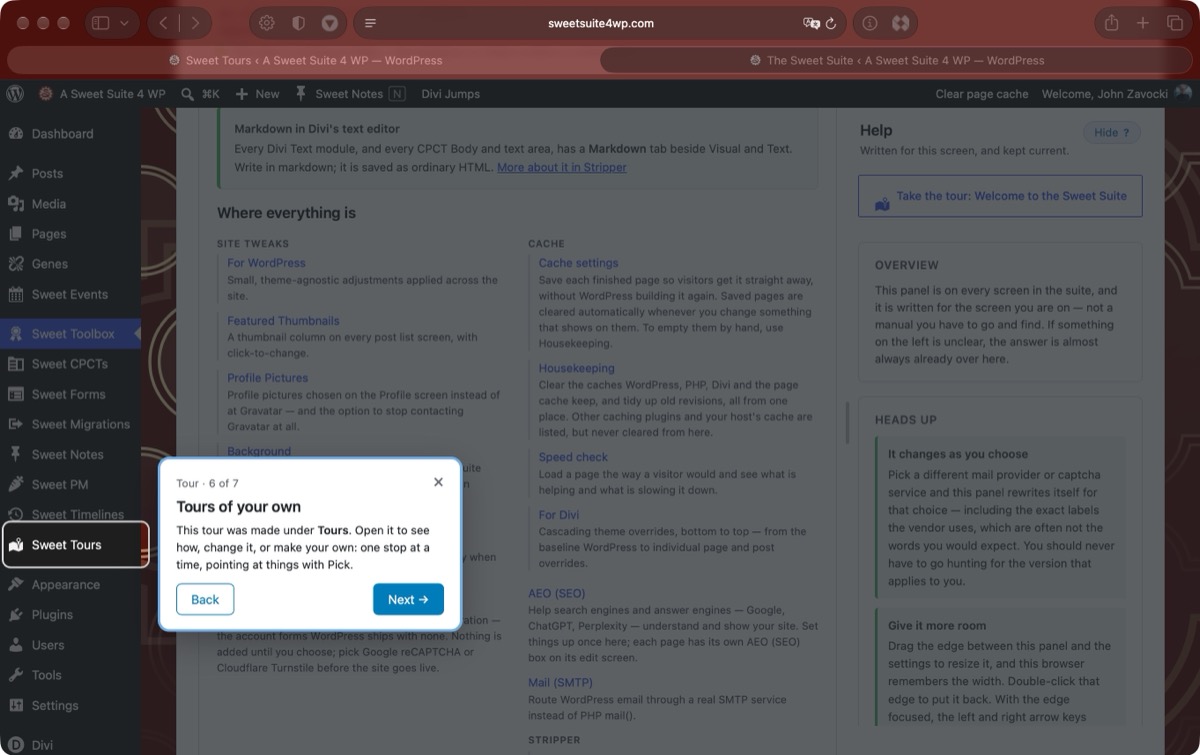
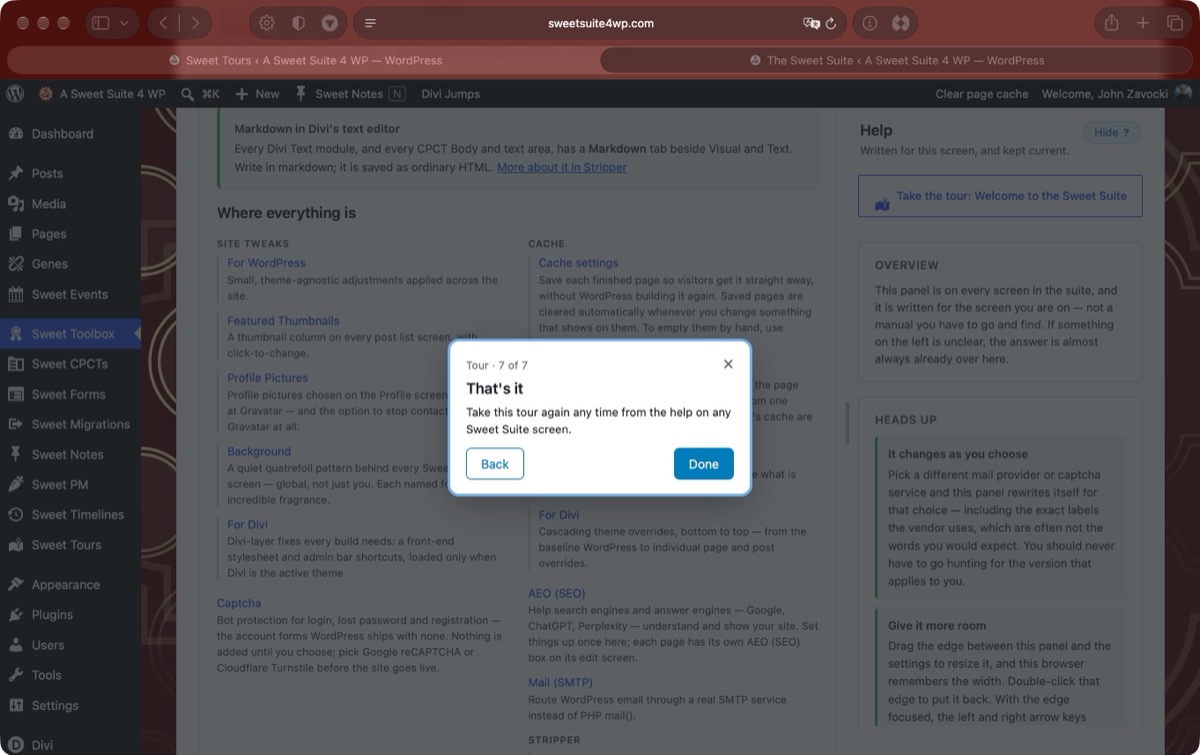
psssst .... Make tours on your site just like ^ with the inluded Sweet Tour plugin 😉
"Obvious Always Wins"
The End is Just the Beginning!
Thanks for scrolling down to the bottom of a web page —
if you found something that you liked, please ...